AO MindSync MindSync is an affirmation programming tool that delivers affirmations of your own voice through a binaural process. A binaural process is a cognitive...
Read MoreComprehensive Scan
Comprehensive Scan
The Comprehensive Scan technology performs a detailed scan of the frequencies from over 130 organs, cells, bones, and chromosomes.
The Comprehensive Scan provides a graphical report that displays variances from blueprint homeostasis ranging from 1 to 9. Numbers 1 to 4 represent underactive or hypo-functioning frequencies. Number 5 represents the optimal stage of blueprint balance. Numbers 6 to 9 represent an overactive or hyperfunctioning frequency.
Frequency optimization will pick up anything out of range and will generate canceling frequencies that will help your organs and system achieve a state of homeostasis (complete balance).
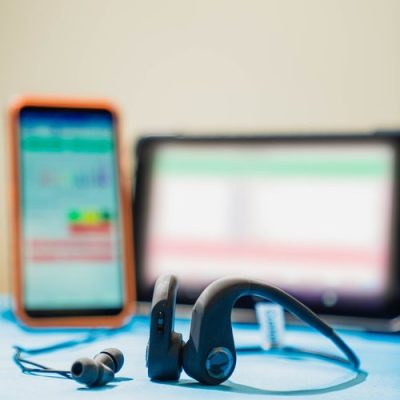
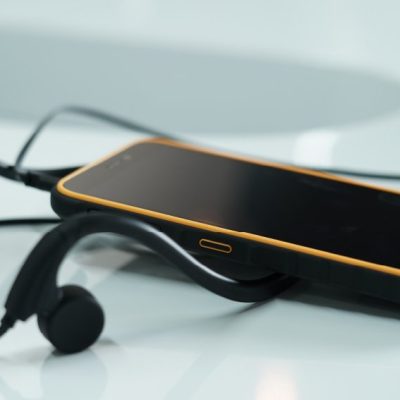
This mode of technology offers a comprehensive library of information that is constantly being upgraded. To conduct the Comprehensive Scan, you will need to use the Bone
Conductor Transducer Headset.
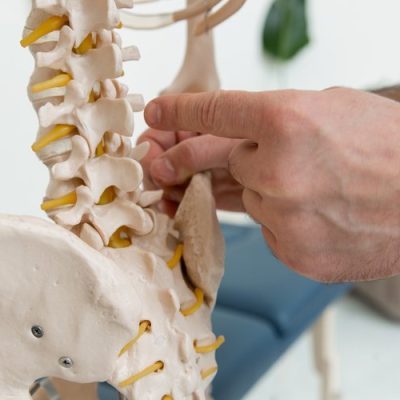
The Comprehensive Scan includes the following reports: Organs and Cells Report, Veins Report, Skeletal Report, Nerves Report, Connective Tissues Report, Body Parts Report, and Arteries Report. More information about each of these reports will be given below.
Comprehensive Scan FAQs
How often do I use Comprehensive Scan?
The Comprehensive Scan is designed to be performed 1 to 2 times per week as needed. However, this is not a fixed guide for every user and should be performed depending on the users’ individual needs.
What headset do I use during Comprehensive Scan?
To conduct the Comprehensive Scan, we recommend using your Bone Conducting Transducer Headset.


How To Scan
1. On the Comprehensive menu page, under the ‘Intelligent Scan’ section, tap ‘Complete’.
2. In the ‘Comprehensive Scan List,’ tap the ‘Select All’ button to scan every option, OR tap ‘Deselect All’ to uncheck all. If you choose to deselect all the options, you can select the specific areas you wish to scan by tapping the box next to the category or the specific body parts.
3. While wearing the Bone Conducting Transducer Headset, tap ‘Scan’. The ‘Scan’ button is located at the top of the page.
4. When the 3-minute scan has been completed, tap the ‘Optimize Frequencies’ button at the bottom of the page.
5. When the frequency optimization is complete, tap the ‘Reports’ button to review your report.
6. Tap the ‘Email’ button to email your reports. The email button is located next to the ‘Reports’ button.
*Please note: the Intelligent Scan results are populated based on the reports from Inner Voice and Vitals scans. If the Inner Voice and Vitals scans are not performed before the Intelligent Scan, the Intelligent Scan will not populate results.
*To access the Comprehensive Scan technology features, select ‘Comprehensive’ in the AO Scan homepage.
1. On the Comprehensive menu page, under the ‘Intelligent Scan’ section, tap ‘Vitals’.
2. In the ‘Comprehensive Scan List,’ tap the ‘Select All’ button to scan every option, OR tap ‘Deselect All’ to uncheck all. If you choose to deselect all the options, you can select the specific areas you wish to scan by tapping the box next to the category or specific body parts.
3. While wearing the Bone Conducting Transducer Headset, tap ‘Scan’. The ‘Scan’ button is located at the top of the page.
4. When the scan has been completed, tap the ‘Optimize Frequencies’ button at the bottom of the page.
5. When the frequency optimization is complete, tap the ‘Reports’ button to review your report.
6. Tap the ‘Email’ button to email your reports. The email button is located next to the ‘Reports’ button.
*Please note: the Intelligent Scan results are populated based on the reports from the Vitals Scan. If the Vitals Scan is not performed before Intelligent Scan, the Intelligent Scan will not populate results.
1. On the Comprehensive menu page, under the ‘Intelligent Scan’ section, tap ‘Complete’.
2. In the ‘Comprehensive Scan List,’ tap the ‘Select All’ button to scan every option, OR tap ‘Deselect All’ to uncheck all. If you choose to deselect all the options, you can select the specific areas you wish to scan by tapping the box next to the category or the specific body parts.
3. While wearing the Bone Conducting Transducer Headset, tap ‘Scan’. The ‘Scan’ button is located at the top of the page.
4. When the 3-minute scan has been completed, tap the ‘Optimize Frequencies’ button at the bottom of the page.
5. When the frequency optimization is complete, tap the ‘Reports’ button to review your report.
6. Tap the ‘Email’ button to email your reports. The email button is located next to the ‘Reports’ button.
*Please note: the Intelligent Scan results are populated based on the reports from the Inner-Voice and Vitals scans. If the Inner-Voice and Vitals scans are not performed before Intelligent Scan, the Intelligent Scan will not populate results.
1. In the Comprehensive menu page, under the ‘Custom’ section, tap ‘Custom Scan’.
2. In the ‘Comprehensive Scan List,’ tap the ‘Select All’ button to scan every option, OR tap ‘Deselect All’ to uncheck all. If you choose to deselect all the options, you can select the specific areas you wish to scan by tapping the box next to the category or the specific body parts.
3. While wearing the Bone Conducting Transducer Headset, tap ‘Scan’. The ‘Scan’ button is located at the top of the page.
4. When the scan has been completed, tap the ‘Optimize Frequencies’ button at the bottom of the page.
5. When the frequency optimization is complete, tap the ‘Reports’ button to review your report.
6. Tap the ‘Email’ button to email your reports. The email button is located next to the ‘Reports’ button.
How to Run a Comprehensive Scan
Please watch the following video for a step-by-step visual guide to learning how to run a Comprehensive Scan. For more assistance, please reach out to our Customer Support Team at 0400 006 576!
AO Scan Features Overview
Comprehensive Scan
Comprehensive Scan The Comprehensive Scan technology performs a detailed scan of the frequencies from over 130 organs, cells, bones, and chromosomes. The Comprehensive Scan provides...
Read MoreBody Systems Scan
Body Systems Scan The Body Systems Scan performs a complete and thorough scan and optimization of hundreds of Blueprint Frequencies associated with 13 body systems....
Read MoreVitals Scan
Vitals Scan The Vitals Scan mode of the AO Scan Technology performs a complete scan of over 550 Blueprint Frequencies associated with each bodily function...
Read MoreInner Voice
Inner Voice The Inner Voice technology uses a sound harmonizing technique that generates a balancing audio frequency derived from the voice spectrum in humans to...
Read MoreQuick Scan
Quick Scan The Quick Scan technology performs Morning, Midday, and Evening scans. As part of the process, supplements and therapies can be uploaded and utilized...
Read More