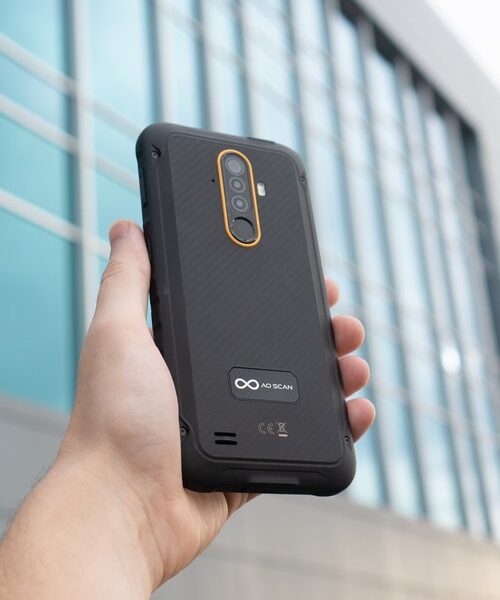
AO MindSync MindSync is an affirmation programming tool that delivers affirmations of your own voice through a binaural process. A binaural process is a cognitive...
Read MoreInner Voice
Inner Voice
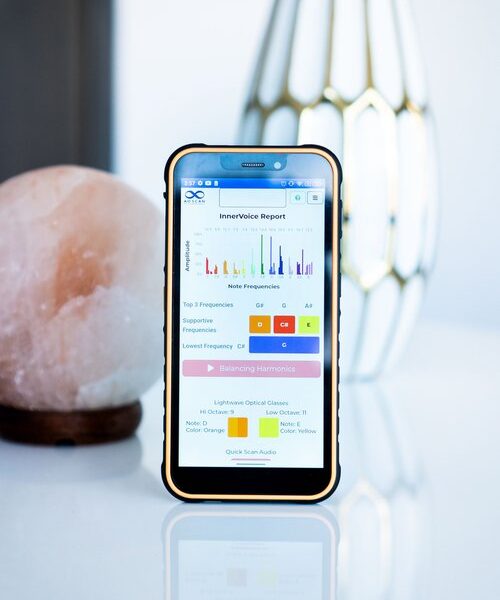
The Inner Voice technology uses a sound harmonizing technique that generates a balancing audio frequency derived from the voice spectrum in humans to diminish frequencies that are in excess and supplement frequencies that are lacking.
Inner Voice records your voice and analyzes 12 note frequencies: C, C#, D, D#, E, F, F#, G, G#, A, A#, and B. The Inner Voice report will display three notes that are excessively out of balance (or over-compensated) and the main octave being suppressed.
The Inner Voice report will also generate the balancing frequencies that can assist in creating balance in the body. This will include four audio files (MP3) corresponding to each of the balancing octaves outlined in the report. For maximum benefit, listen to these four audio files two to three times a day on your AO Scan device with headphones or earbuds.
To further strengthen your results, use the recommended colored ‘Lightwave Optical’ glasses shown on your report.
Vitals Scan FAQs
How often do I use Vitals Scan?
The Vitals Scan for humans is designed to be performed 1 to 2 times per week as needed. The Pet Vitals Scan is designed to be performed every day as needed. However, this is not a fixed guide for every user and should be performed depending on the users’ individual needs.
What headset do I use during Vitals Scan?
For the Vitals Scan for humans, we recommend using just your Bone Conducting Transducer Headset. For the Pet Vitals Scan, no form of headset is necessary.


How To Scan
1. With your Bone Conducting Transducer Headset in place, tap the ‘Scan’ button at the top of the page. (Please note, if you wish to scan for specific vitals, you may deselect all areas of the scan that you do not wish to scan before beginning the scan).
2. When the scan is complete, tap the ‘Optimize Frequencies’ button at the bottom of the page.
3. When the frequency optimization is complete, tap the ‘Reports’ button to review your Vitals Report.
4. In your report, tap the email icon on the top right side of the screen to email the report.
*To access the Vitals Scan technology features, select ‘Vitals’ on the AO Scan Mobile homepage.
1. Once you select the name and you are ready to begin scanning, tap the ‘Scan’ button at the top of the page.
2. When the scan has been completed, tap the ‘Optimize Frequencies’ button at the bottom of the page.
3. When the frequency optimization has been completed, tap either of the report buttons located at the bottom of the screen to review your pet’s Vitals report.
4. In your report, tap the email icon on the top, right side of the screen to email the report.
*Before performing a Vitals Pet Scan, you will need to create a profile for your pets. You only need to create a profile once for every pet you add. After you have created their profile, you can skip this step on any future scans you perform on your pet.
*Below the ‘Scan Target’ title, you will find a dropdown button. Tap on the button and a dropdown list of profile names will appear. Locate the name of the pet you want to scan and select it.
How to Run a Vitals Scan
Please watch the following video for a step-by-step visual guide to learning how to run a Vitals Scan. For more assistance, please reach out to our Customer Support Team at 0400 006 576!
AO Scan Features Overview
Comprehensive Scan
Comprehensive Scan The Comprehensive Scan technology performs a detailed scan of the frequencies from over 130 organs, cells, bones, and chromosomes. The Comprehensive Scan provides...
Read MoreBody Systems Scan
Body Systems Scan The Body Systems Scan performs a complete and thorough scan and optimization of hundreds of Blueprint Frequencies associated with 13 body systems....
Read MoreVitals Scan
Vitals Scan The Vitals Scan mode of the AO Scan Technology performs a complete scan of over 550 Blueprint Frequencies associated with each bodily function...
Read MoreInner Voice
Inner Voice The Inner Voice technology uses a sound harmonizing technique that generates a balancing audio frequency derived from the voice spectrum in humans to...
Read MoreQuick Scan
Quick Scan The Quick Scan technology performs Morning, Midday, and Evening scans. As part of the process, supplements and therapies can be uploaded and utilized...
Read More